AI form coach for home workouts
Your camera counts your reps and checks your form.
On your phone, private by design. The video is analyzed while you train and never leaves your phone.
Free to download. Android 9 or newer. No account needed.
What it does
A coach that watches every rep
Pick an exercise, put your phone where the how-to card says and start. The camera coach does the counting and tells you what to fix.
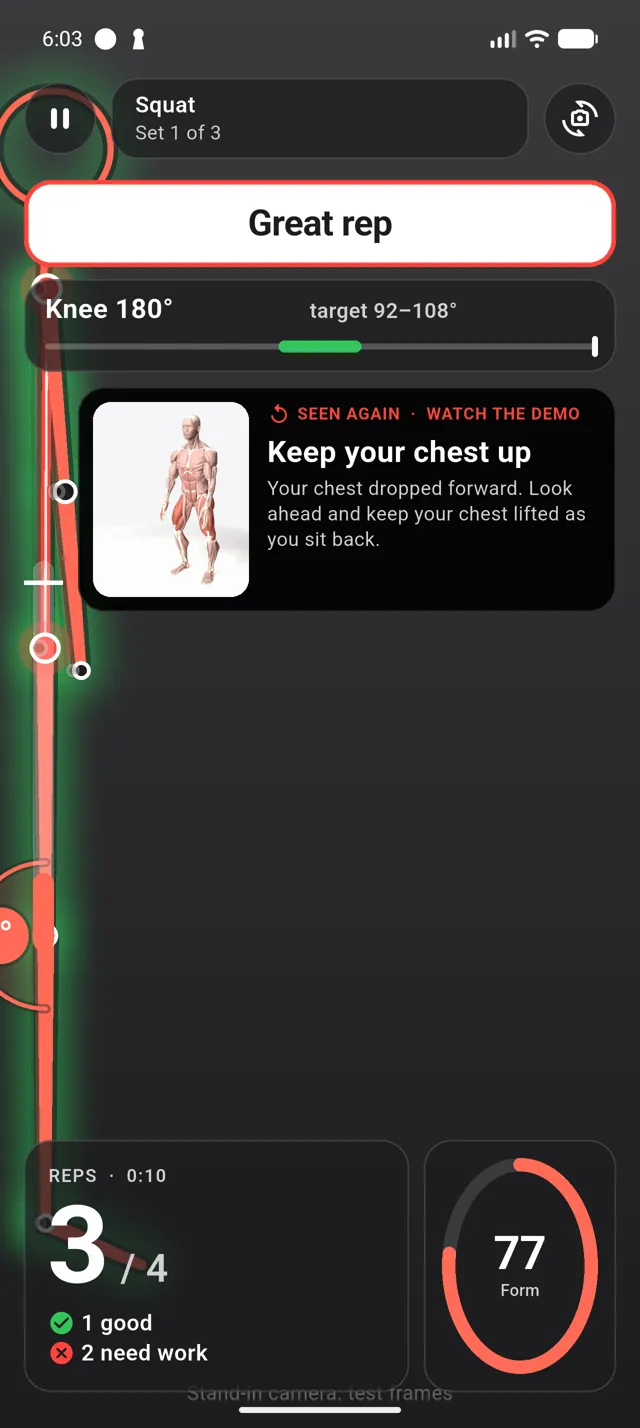
Counts reps, times holds
Prop your phone up, start the set and train. The camera counts each rep and times holds such as planks, so you never lose count.
Scores your form
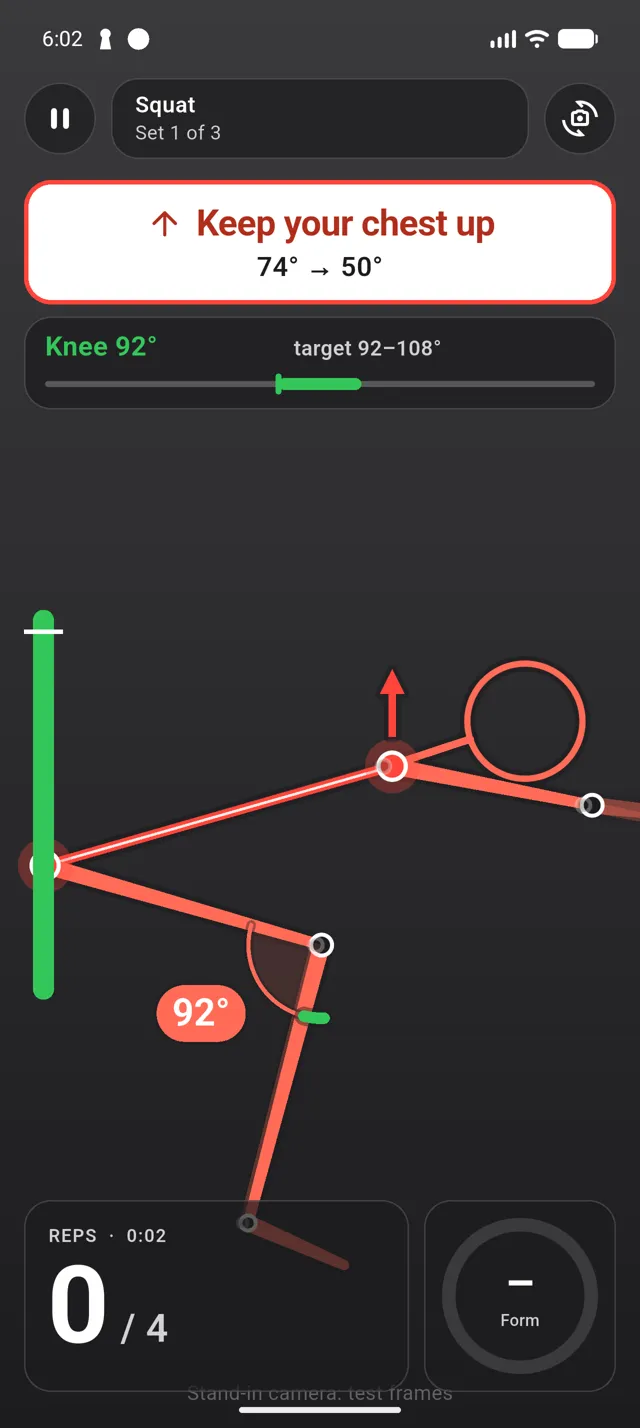
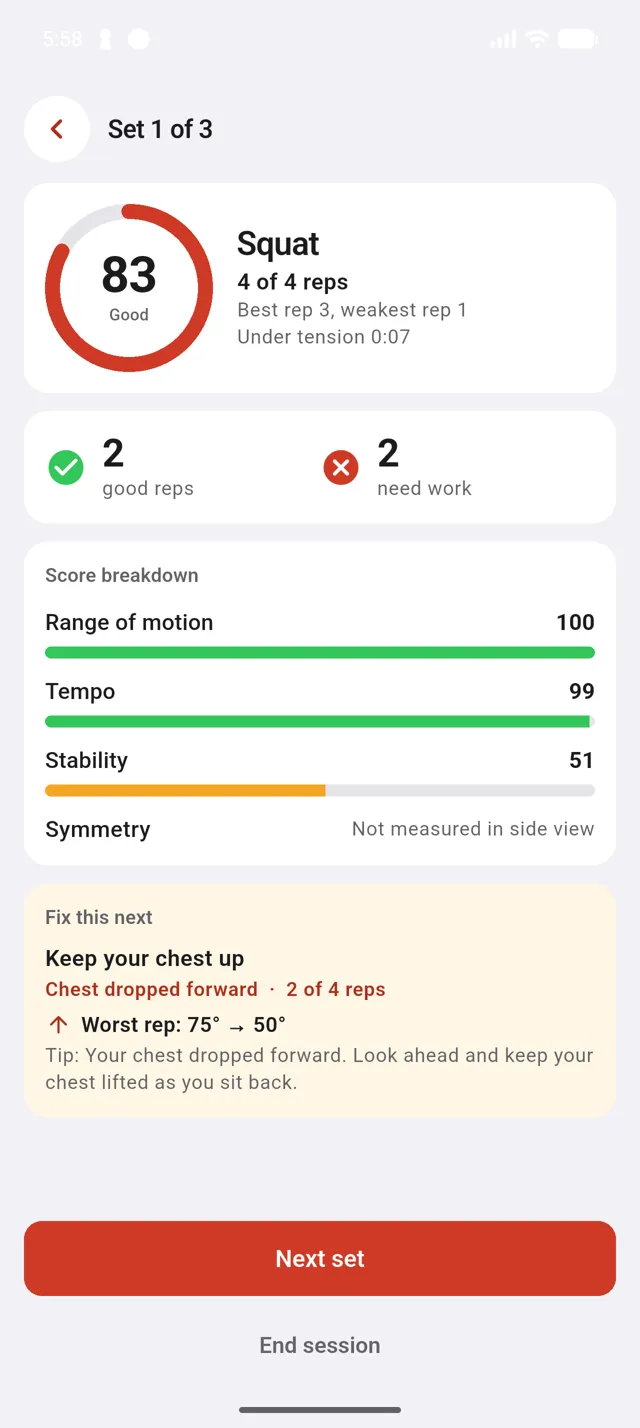
Every rep is marked good or needs work. Every set gets a form score for range of motion, tempo and stability, and left-right balance when the camera angle allows.
Corrections with numbers
A joint turns red when it is out of position, with a short cue and the reading behind it: “Keep your chest up, 74° → 50°”, or your knee angle against its target range.
Helps you set up
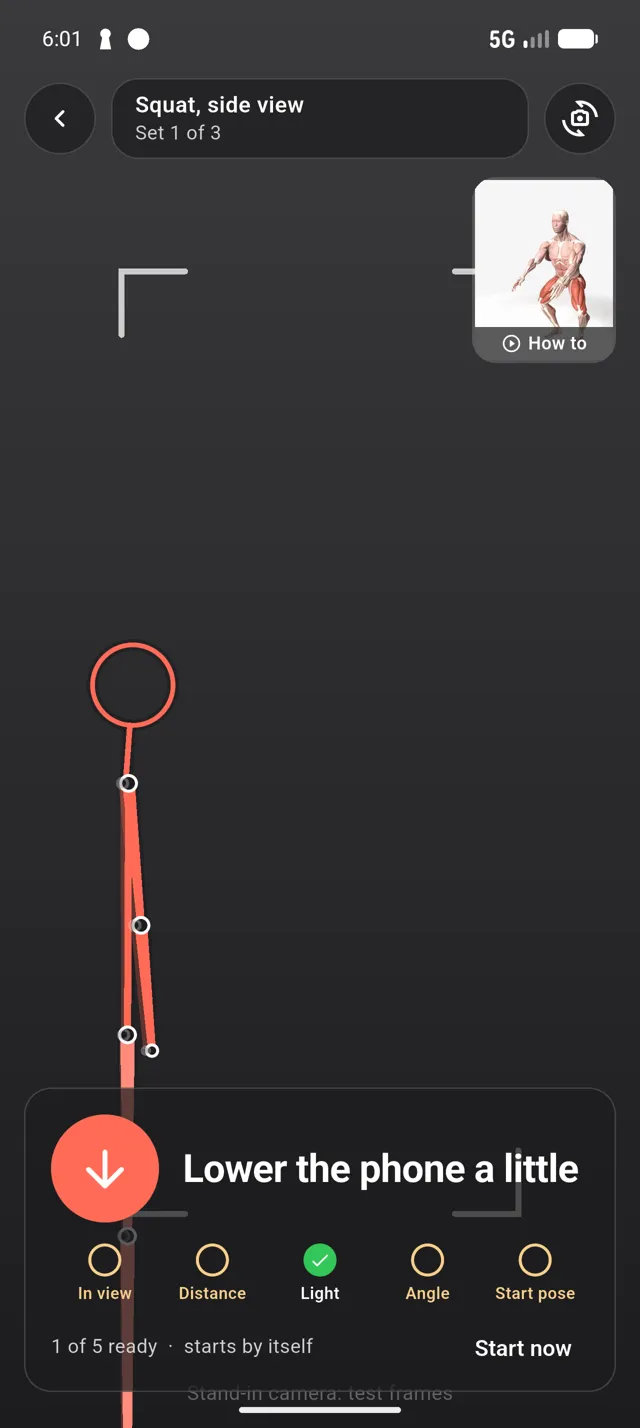
Before a set it checks that you are in the picture and tells you to step back, come closer, lower the phone or turn side-on, then waits for your start position.
How the camera works
Everything happens on your phone
The camera picture stays in memory
Frames are read on your phone while you move and thrown away straight after. Nothing is recorded or saved.
A pose model finds your joints
A pose detector that runs on the phone turns each frame into body points: shoulders, hips, knees, ankles.
The coach measures the angles
Homexercise compares your joint angles with each exercise's targets to count reps, spot faults and score the set.
Our privacy promise
Camera frames never leave your phone. Your video is not recorded and not uploaded, and neither are the body positions read from it.
- No account needed. Signing in with Google or Apple is optional and does not upload your training.
- Your workout history, scores, streak and profile stay on your phone.
- Training works with no internet connection.
- No analytics or tracking software, in the app or on this website.
The library
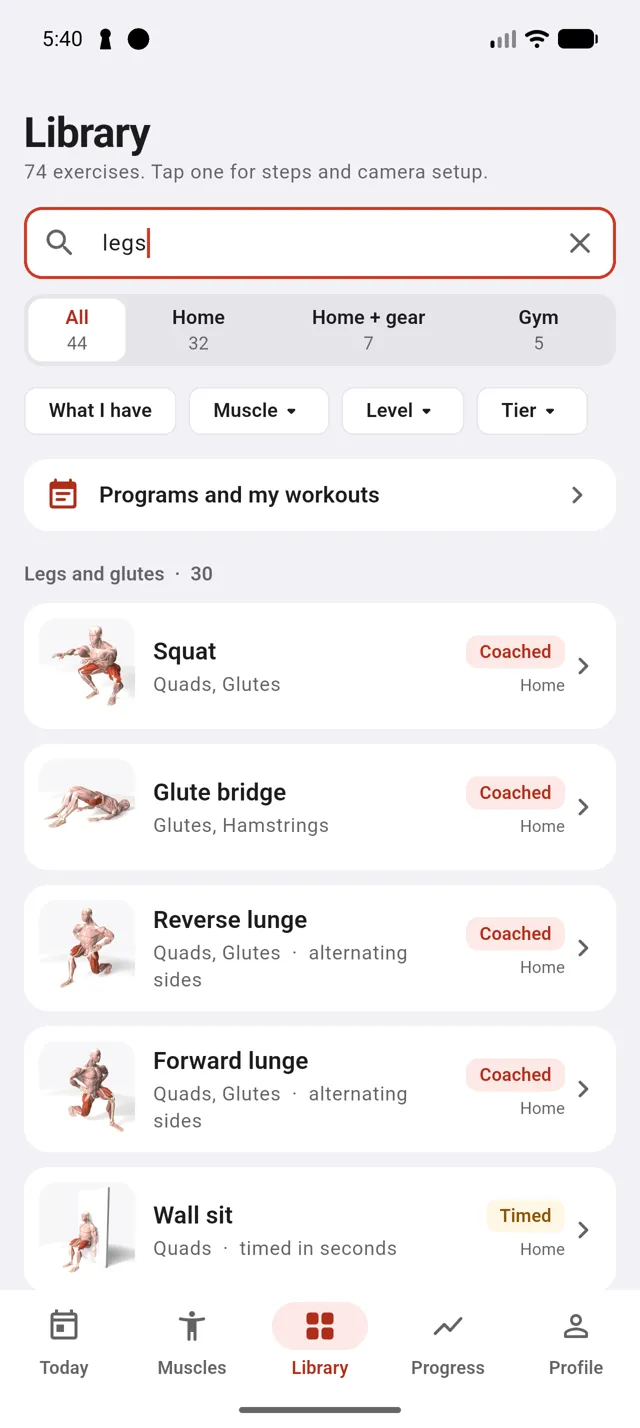
74 exercises, from squats to deadlifts
- Exercises
- 74
- Tracked by the camera
- 66
- Guided sets
- 8
66 exercises are followed by the camera. The other 8 (machines and moves a phone cannot see) are guides you run as a manual set: enter your reps or start a hold timer. Each exercise is labeled Home, Home + gear or Gym. Most need nothing, or only a chair or a mat.
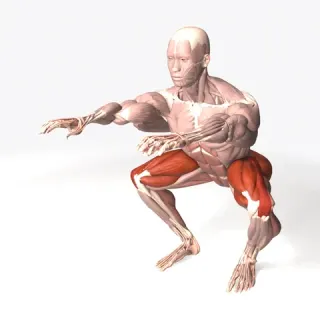
Squat
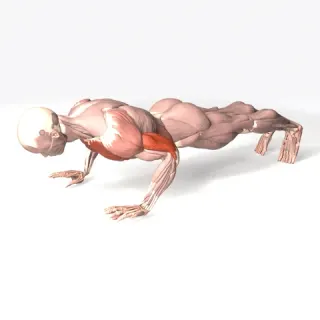
Push-up
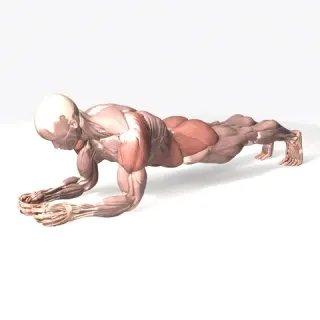
Plank
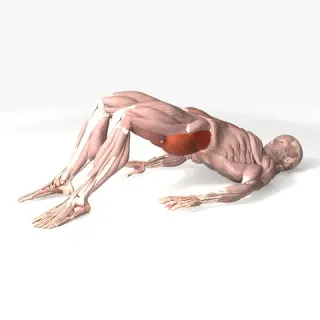
Glute bridge
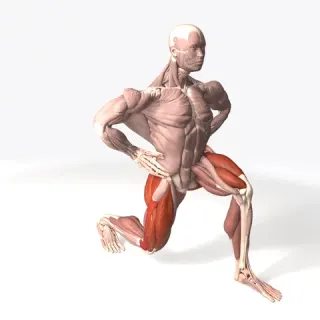
Forward lunge
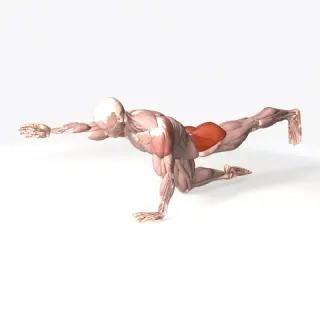
Bird dog
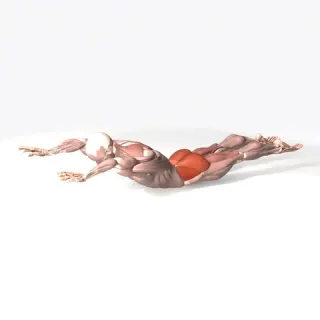
Superman
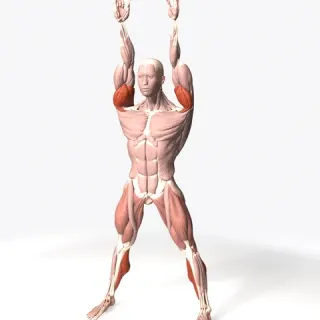
Jumping jack
Exercise images are rendered from a 3D model based on “Male Full Body Ecorche” by Diego Luján García, licensed under CC BY 4.0. The model was modified: rigged, reshaped, retextured and given a different head.
Programs
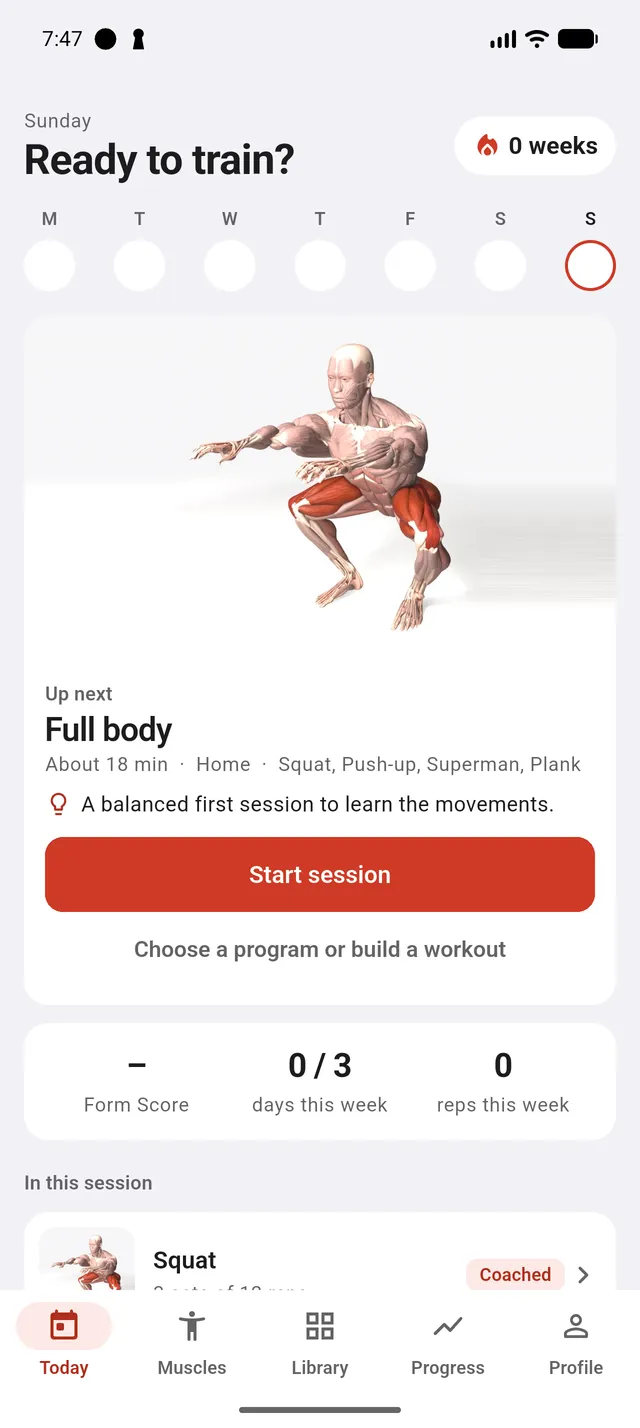
Know what to train today
- Suggestions based on your goal, level, equipment, space and days per week.
- Ready-made programs, or build your own workouts.
- A muscle view that shows what each exercise trains and which muscles have rested.
- History, progress and a streak, plus reminders you choose, set on your phone.
Homexercise Pro
Coming in December
Pro will add camera coaching on more exercises, a rep-by-rep report after each session and more programs. What stays free and the prices will be shown in the app and on Google Play before you pay anything.
FAQ
Questions
Does Homexercise record or upload my video?
No. The camera picture is analyzed on your phone, in memory, while you train. It is not recorded, not saved and not sent to us or to anyone. The same goes for the body positions the app reads from it.
Do I need an account?
No. You can use everything as a guest. Signing in with Google or Apple is optional and is for your identity only: your workouts, scores and settings stay on your phone either way.
Is my workout history backed up?
Not today. Your history lives on your phone only, so uninstalling the app or clearing its data removes it. An opt-in backup for people who sign in is planned for the December update. Until you turn it on, nothing of yours leaves the phone.
Does it work without internet?
Yes for training: camera coaching, counting, timers, history, programs and reminders all work offline. The app uses the internet for things such as exercise pictures, optional news notifications and crash reports (which you can switch off). Your video and your workouts are never part of that.
How exact is the counting?
Counts, faults and scores are estimates. A camera can misread a pose in poor light, in loose clothing or when part of your body is out of the picture. It works best with the phone propped still and your whole body in view.
What does it cost?
Homexercise is free to download. Homexercise Pro, with camera coaching on more exercises, a rep-by-rep report and more programs, is coming in December. What stays free and the prices will be shown in the app and on Google Play before you pay anything.
Which phones does it run on?
Android phones with Android 9 or newer, from Google Play. There is no iPhone version yet.
Is this medical advice or physiotherapy?
No. Homexercise is a training aid. It does not diagnose, treat or prevent any condition. Stop if something hurts, and ask a doctor first if you have a health condition or an injury.
Something else? Visit support.
Start your next set with a coach
Prop up your phone, step back and press start.